Vibe Coding for Kids: a safe, smart way to start
Kids can describe a game and watch an AI build it in minutes. That's exciting, and it comes with real questions about age limits, privacy and whether they're actually learning anything. Here's a plain-English guide for parents and teachers, built only on sourced facts.
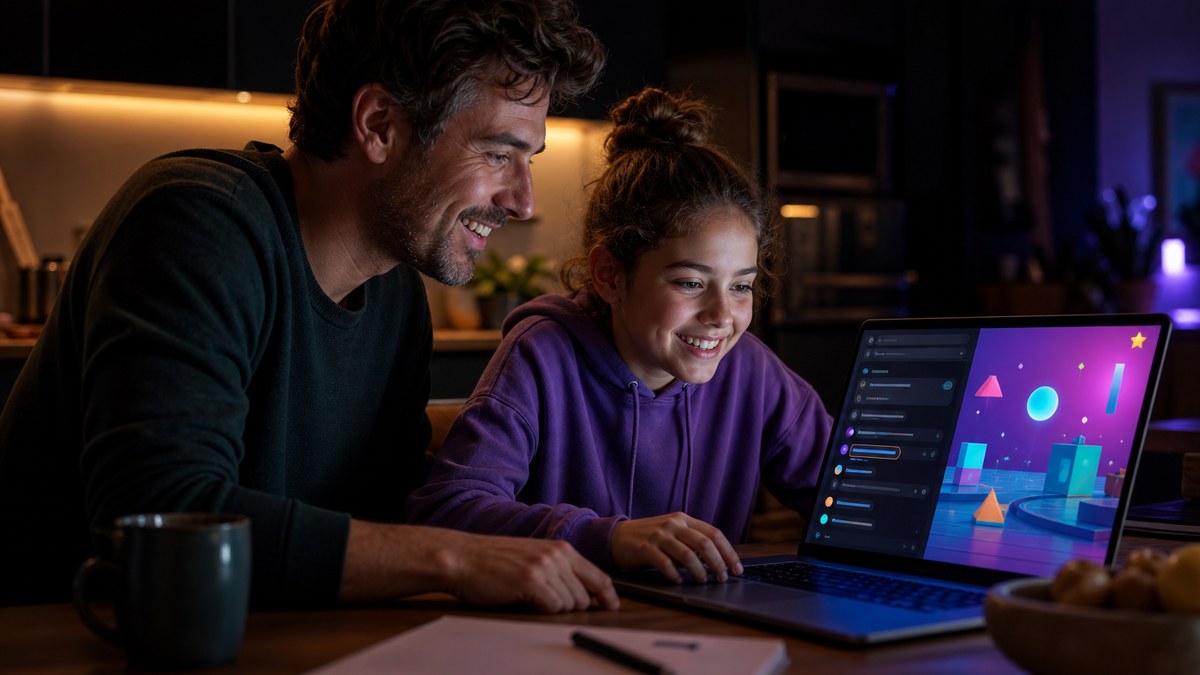
Vibe coding for kids means letting children build apps and games by describing what they want in plain words while an AI tool writes the code. It works best with an adult or teacher alongside, on tools whose age rules fit the child, and with one simple habit: the child has to explain what the AI built before moving on.
Done that way, vibe coding can be a brilliant first taste of making software. Done carelessly, it can mean a child signing up for a service meant for adults, sharing personal details with an AI, or "building" things without understanding any of it. This guide walks through what vibe coding is, which tools allow which ages, what the early research says about kids and AI coding, first project ideas, prompts you can copy, safety rules for families and a quick setup for classrooms. We're an independent site and not affiliated with any tool mentioned, and we don't quote prices because plans change often.
- Can kids vibe code? Yes. Schools and programs already teach it, from Code.org's Hour of AI to classroom tools like CodeHS Vibe Coding.
- Check the age rules first. As of November 2026, Lovable's terms say 18+ (under-18s need a parent's permission), Replit and ChatGPT say 13+ with a parent's permission under 18, and Claude's consumer terms say 18+.
- Younger kids do best in teacher-run classroom tools or with a parent driving the account.
- The catch: a 2026 study of 7 to 11-year-olds found they mostly asked "does it run?" instead of "how does it work?". Make understanding part of the game.
- Golden rules: no real names, photos, addresses or passwords in prompts or apps, keep projects private, and review before sharing.
First, what does vibe coding mean?
Andrej Karpathy coined "vibe coding" in a post on X on February 2, 2025. The idea: you describe what you want, the AI writes the code, and you judge the result by whether it works rather than by reading every line. Collins Dictionary made it its Word of the Year for 2025, and Merriam-Webster later added the term, defining it as "the act or practice of using an artificial intelligence system to generate computer code". Our complete guide to what vibe coding is tells the full story, and the vibe coding meaning homepage has the short version.
For a child, it looks like this: they type "make a game where a cat catches falling fish and the fish get faster", press enter, and a playable game appears. Then they keep chatting: "add a score", "make the background purple", "give the cat three lives". It feels like magic, and that's both the appeal and the risk.
vibe coding for kidsnoun phrase
/vaɪb ˈkoʊdɪŋ fər kɪdz/- Children and teens creating simple apps, games or web pages by describing them in everyday language to an AI tool that writes the code.
- In practice: usually guided by a parent or teacher, who chooses an age-appropriate tool, keeps personal information out and reviews the result before it's shared.
Can kids really vibe code?
Yes, and it's already in classrooms. A few examples from this year and last:
- Code.org turned its famous Hour of Code into the Hour of AI. THE Journal reported on October 2, 2025 that Code.org and CSforALL launched it as "a global initiative providing learning activities for AI education", first run during Computer Science Education Week, December 8–12, 2025. Partners included Microsoft, Amazon, Anthropic, Khan Academy, LEGO Education, Minecraft Education, Common Sense Media, the Scratch Foundation and both major US teachers' unions. Code.org CEO Hadi Partovi said: "Just as the Hour of Code showed students they could be creators of technology, the Hour of AI will help them imagine their place in an AI-powered world."
- CodeHS offers "Vibe Coding" for classrooms on its Pro plan. Its page says students "prompt an AI agent to generate and update code, then keep prompting to refine it and understand it", inside the CodeHS HTML Sandbox, with a full "Introduction to Vibe Coding" course available.
- imagi and Lovable run an Hour of AI activity starting November 16, 2026, for grades 3–12 on Chromebooks. In the vibe coding lessons, students describe a game or a school app and build it with Lovable inside imagi Edu, which the page says needs "no student accounts".
So the question isn't really "can they?" It's "how do we make sure they learn something and stay safe while they do it?"
What the research says: "does it run?" vs "how does it work?"
Early research is useful here. GamesBeat covered a study by researchers at the University of Macau and ETH Zurich, presented at an ACM conference in Barcelona on April 16, 2026. They observed Chinese students aged 7 to 11 building games with a vibe coding tool called Stax and recorded their whole creative process.
The findings will sound familiar to any parent:
- Most of the kids' time went to testing and debugging, but they rarely looked at their code. Game-making felt "more like playtesting than programming".
- Many generated whole scripts at once. When something broke, they regenerated it or gave up instead of figuring out why.
- University of Macau researcher Kanye Wang summed it up as "'does it run?' replacing 'how does it work?'"
This isn't a reason to ban vibe coding. It's a reason to add structure. Adults have the same habit: the Stack Overflow 2025 Developer Survey found 46% of developers don't trust the accuracy of AI tools, and Veracode's 2025 GenAI Code Security Report found AI-generated code introduced security flaws in 45% of cases. Kids need to learn early that AI output is a first draft, not a finished answer.
Age rules: which tools allow which ages?
This is the part most "vibe coding for kids" articles skip. Every tool has terms of service with a minimum age, and they differ a lot. Here's what the official terms said when we checked in November 2026. Terms change, so check the current version before signing up.
| Tool | Minimum age (official terms) | Under 18? | Good fit for |
|---|---|---|---|
| Lovable (app builder) | 18, or the age of majority where you live (terms updated August 28, 2026) | Needs a parent or guardian's permission | Teens with a parent's OK; younger kids through a classroom program like imagi Edu |
| Replit (app builder + editor) | 13 (terms updated August 3, 2026) | Needs a parent or guardian's permission | Teens 13+ with permission |
| ChatGPT (general AI chat) | 13 | Needs a parent or legal guardian's permission | Teens 13+, ideally with parental controls linked |
| Claude (consumer apps) | 18, or higher if local law requires (terms effective October 8, 2025) | Not allowed | Adults; parents can use it to help plan projects |
| GitHub Copilot (coding assistant) | Check GitHub's terms | Verified students on GitHub Education get free access to Copilot's features | Older students learning real code |
| CodeHS Vibe Coding (classroom) | Run by the school | Teacher controls and message review | Middle and high school classes |
Two things stand out. First, several of the best-known vibe coding apps are written for adults, so a 10-year-old shouldn't simply sign up on their own. Second, "under 18 with a parent's permission" means the parent is part of the deal. If you give permission, you're also the right person to sit in on the first sessions.
For the bigger tools comparison (what each one actually does), see our best vibe coding tools guide.
A simple guide by age and stage
There's no official age chart for vibe coding, so treat this as a common-sense starting point that respects each tool's terms.
| Stage | What works | Who holds the account |
|---|---|---|
| Early readers | "Ideas out loud": the child describes a game, the adult types and builds it with them. Pair with unplugged activities and free block coding like Scratch. | Parent or teacher |
| Upper elementary | Short, guided sessions in classroom tools (CodeHS, imagi Edu) or with an adult driving. One small project per session. | School or parent |
| Middle school | Kid types the prompts, adult or teacher reviews. Start the "explain it back" rule. Introduce simple HTML and CSS alongside. | School, or parent where terms allow |
| High school (13–17) | Own accounts on tools that allow 13+, with a parent's permission. Bigger projects, Git, reading the code, security basics. | Teen, with parent's permission |
| 18+ | Any tool. Our how to start vibe coding guide is the next step. | Themselves |
Scratch, by the way, is described by its makers as "a free programming language and online community where you can create your own interactive stories, games, and animations". Block coding and vibe coding work well together: one shows how logic fits, the other shows how fast ideas can become real.
Want to show your kid what vibe coding can make?
The Vibe Arcade has nine free games built with AI, from a space shooter to a beat maker. Play a few together, then ask: "How do you think they made that?"
Why it's worth doing: what kids actually learn
Handled well, vibe coding teaches skills that will matter whatever kids end up doing:
- Clear thinking and clear writing. A vague prompt gets a vague game. Kids quickly learn that "make it fun" doesn't work, but "make the enemies move faster every 10 points" does. That's specifying requirements, a core engineering skill.
- Breaking big ideas into small steps. Building one feature at a time is the same habit good programmers use.
- Testing and debugging. Kids spend a lot of time testing, as the Macau/ETH study found. The trick is turning "it's broken" into "what exactly happens, and when?"
- Creative confidence. Going from idea to playable thing in one afternoon is a powerful feeling, and it can spark interest in learning more.
- Healthy AI skepticism. Catching the AI's mistakes teaches kids that AI is a tool to check, not an oracle to trust.
Prompting is a skill in its own right. Our vibe coding prompts that actually work guide breaks down a simple formula you can teach older kids.
Make understanding part of the game: the "explain it back" rule
The research above points to one fix: kids need a reason to look under the hood. A few house rules that work at home or in class:
- Explain it back. Before adding a new feature, the child explains what the last change did, in their own words. If they can't, they ask the AI to explain it simply, then try again.
- Predict first. Before pressing enter, they guess what will happen. Then they check. Wrong guesses are the best learning moments.
- Change one thing by hand. Each session, find one number or color in the code and change it manually: the speed, the score, a background color. It shows the code is real and theirs to edit.
- Fix before you regenerate. When something breaks, ask the AI "why did this break?" before asking it to rewrite everything.
- Keep a project diary. One line per session: what we built, what broke, what we learned.
Wondering whether your child should learn "real" coding instead? It isn't either/or. Our comparison of vibe coding vs traditional coding explains how the two fit together, and why fundamentals still matter.
8 great first projects for kids and teens
Pick projects that are fun, small and don't collect personal information. Every idea below works without logins, databases or real names.
Catch-the-falling-things game
A character catches objects that speed up over time. Great for learning about score, speed and lives.
Times-table quiz
Random questions, a timer and a "streak" counter. Useful and easy to test.
Flashcards for any subject
Spelling words, capitals, science terms. The kid writes the cards, the AI builds the flipper.
Choose-your-own-adventure story
The child writes the story branches; the app shows choices and endings.
Drawing or pixel-art pad
A grid you click to color, with a palette and a clear button.
Pet or plant care checklist
Daily tasks with checkboxes that reset each morning. Keep it on one device, no accounts.
Simple music maker
Buttons that play sounds, plus a loop. Pairs nicely with the Vibe Beats game in our arcade.
Personal fan page
A one-page site about a hobby, a favorite book or a sport, with no photos of the child and no contact form.
Stuck for ideas? Spin the Vibe Machine idea generator together and pick the silliest one.
3 kid-friendly prompts you can copy
These are written so the AI explains as it builds. Adjust the words for your child's reading level.
// Start a small game
"I'm a beginner and I'm [age group, e.g. 'in middle school'].
Please build a simple game in one web page:
[describe the game in 2-3 sentences].
Keep it small. No logins, no saving personal info,
no ads, no links to other websites.
After you build it, explain in 3 short sentences,
in simple words, how the game works."
// Use after every change
"Explain the change you just made like I'm 11.
Which part of the code controls it?
Show me one number or word I could change myself
to see what it does, and tell me what will happen
if I change it."
// When something breaks
"Something is broken: [what you expected] but
[what actually happens]. Don't rewrite the whole game.
First tell me, in simple words, why you think it broke.
Then fix only that part and tell me how to test it."
Notice the pattern: small scope, no personal data, and an explanation every time. That's the difference between a kid who's playing with an AI and a kid who's learning with one.
Safety and privacy rules for families
Most of the risk in vibe coding for kids isn't the code. It's what goes into the prompts and what gets published. These rules cover most of it:
- Nothing personal in prompts. No full names, school names, addresses, phone numbers, photos of faces or passwords. Use made-up names in stories and games.
- Don't build apps that collect other kids' information. A class poll that stores names, a "sign up with your email" page or a chat app adds real privacy obligations. In the US, the FTC's COPPA Rule protects personal information from children under 13; its amendments took effect June 23, 2025, with full compliance required by April 22, 2026, including separate parental consent before sharing kids' data with third parties and a written data retention policy. That's the territory of companies with lawyers, not a weekend project.
- Keep projects private by default. Many builders publish to a public web address. Share only with family or the class, and only after an adult has looked.
- Use parental controls where they exist. OpenAI introduced ChatGPT parental controls on September 29, 2025. Parents can link to a teen's account, keep stronger content protections on, set quiet hours, turn off memory or image generation and opt out of model training.
- Watch the credits and the cart. Some tools charge for usage or upgrades. Keep payment details on the parent's account only.
- Check before going public. If a teen wants to launch something real, work through our vibe coding security checklist together first.
For teachers: a simple classroom setup
If you're bringing vibe coding into a class or club, a little structure goes a long way:
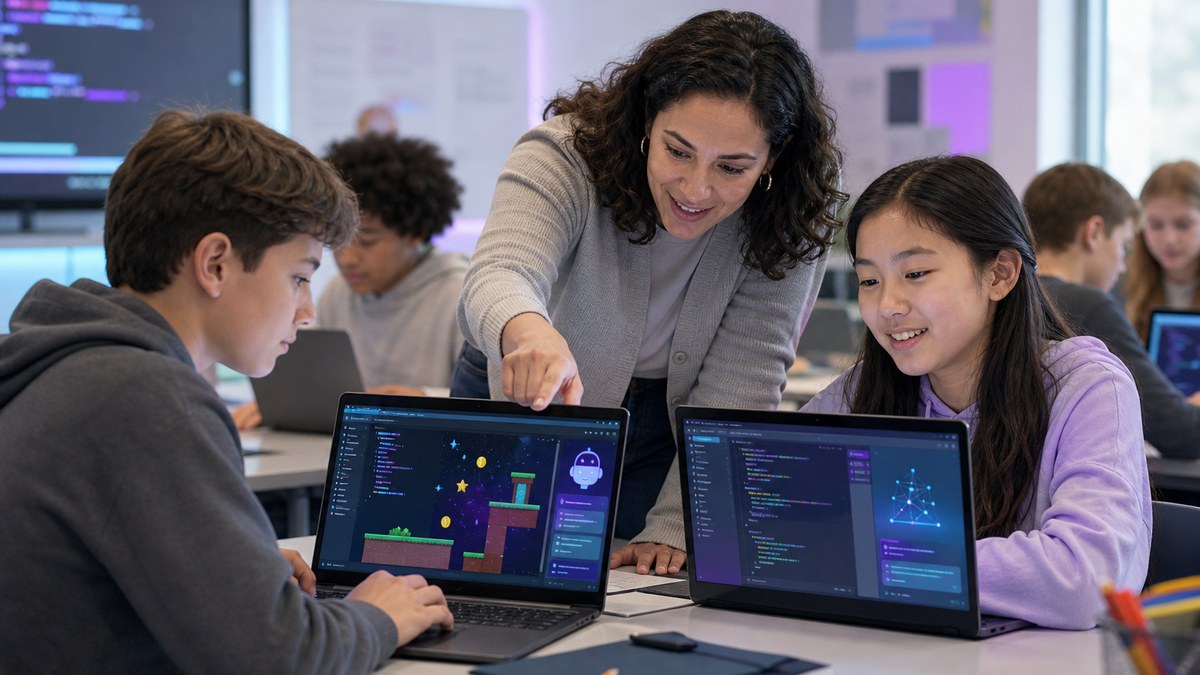
- Choose a school-managed tool. Classroom tools let you control access. CodeHS, for example, says teachers can turn Vibe Coding on or off per section or student, review every student message, and that its chat "declines requests unrelated to coding". It also says student prompts and code are never sent to providers like OpenAI, Anthropic or Google to train their models.
- Start with an Hour of AI-style lesson. One period, one small project, one shared reflection. Free lesson plans from the Hour of AI and partners like imagi make the first session easy.
- Grade the thinking, not the app. Ask students to submit their prompts, one bug they fixed and a short "how it works" explanation. That rewards understanding over output.
- Mix in fundamentals. Pair vibe coding days with short lessons on variables, loops and HTML, so students can read what the AI wrote.
- Talk about AI honestly. Show an example where the AI got something wrong. It's the fastest way to build healthy skepticism.
A fun warm-up for older students: the ten-prompt Vibe Challenge tests how well they can describe what they want.
Is vibe coding a good path for teens?
For teens who like building things, it can be a great on-ramp. A teen who builds a working quiz app, a club website or a small game has something real to show, and can then grow into reading and editing the code. It also gives them a feel for how professionals now work: in the Stack Overflow 2025 survey, 84% of developers said they use or plan to use AI tools, although about 77% said vibe coding isn't part of their professional work. In other words, AI is everywhere in software, but professionals still review and understand what it writes.
If your teen gets serious, point them toward the next steps: Git, testing, security, and the more disciplined approach Karpathy now calls agentic engineering, which we explain in vibe coding vs agentic engineering. Curious what the label "vibe coder" really means? See our vibe coder meaning guide.
And if a school, club or youth program wants an app built properly rather than as a learning project, our hire a vibe coder page explains how we can build it for you.
Common mistakes to avoid
- Signing a young child up for an adult tool. Read the minimum age first, and use classroom tools or your own account where needed.
- Projects that are too big. "Make Minecraft" ends in frustration. "Make a block you can move with arrow keys" ends in a win.
- Letting the AI do all the thinking. If your child can't explain the last change, slow down.
- Publishing too early. Public links can travel. Keep it private until an adult has checked it.
- Skipping fundamentals entirely. Vibe coding is a great start, not a replacement for learning how code works.
For more beginner-friendly tool picks, browse the vibe coding tools section on our homepage.
Frequently asked questions
What is vibe coding for kids?
Vibe coding for kids means children and teens building simple apps, games or web pages by describing them in plain language to an AI tool that writes the code. It works best with an adult or teacher guiding tool choice, privacy and review, and with kids explaining what the AI built.
What age can kids start vibe coding?
There's no official age, but each tool sets a minimum in its terms. Younger children can take part through teacher-run classroom tools or with a parent at the keyboard. As of November 2026, Replit and ChatGPT allow users from 13 with a parent's permission under 18, while Lovable's terms say 18+ and require a parent's permission for under-18s.
Is Lovable allowed for kids?
Lovable's terms (updated August 28, 2026) say you must be at least 18 or the age of majority where you live, and anyone under 18 needs a parent or legal guardian's permission. Younger students can use Lovable through classroom programs such as the imagi Edu Hour of AI activity, which says no student accounts are needed.
Can kids under 13 use ChatGPT or Claude for coding?
No. OpenAI's terms say you must be at least 13 to use its services, with a parent's permission under 18. Anthropic's consumer terms for Claude require users to be at least 18. Under-13s should use school-managed tools or have a parent run the session.
Will vibe coding stop my child from learning real coding?
It can if the AI does all the thinking. A 2026 study of 7 to 11-year-olds found they mostly tested and regenerated code rather than reading it. Rules like "explain it back", predicting results and editing one value by hand each session turn vibe coding into a path toward real understanding.
What is the Hour of AI?
The Hour of AI is Code.org and CSforALL's successor to the Hour of Code, launched in 2025 to give every learner free activities to understand, explore and create with AI. It first ran during Computer Science Education Week, December 8–12, 2025, with partners including Microsoft, Amazon, Anthropic, Khan Academy and the Scratch Foundation.
Are there vibe coding tools made for classrooms?
Yes. CodeHS offers Vibe Coding on its Pro plan, with teacher controls to turn it on or off per student and review every message, and imagi Edu runs Lovable-based vibe coding lessons for grades 6–12 during its Hour of AI activity. Check each provider's current details with your school.
What should kids build first?
Small projects that don't collect personal information: a catch-the-falling-objects game, a times-table quiz, flashcards, a choose-your-own-adventure story, a pixel-art pad or a simple music maker. Avoid logins, sign-up forms and anything that stores other people's names or emails.
Is vibe coding safe for kids?
It can be with a few rules: no personal details in prompts, no apps that collect other children's data, private projects by default, parental controls where available and payment details only on a parent's account. Adults should review anything before it's shared publicly.
Can teens make money vibe coding?
Some older teens build sites or small tools for family businesses or clubs, but contracts, payments and tool terms usually involve a parent. Start with learning projects, then read our guide on making money vibe coding for realistic options.
Keep reading
Browse every guide on the vibe coding blog, or play with nine free vibe-coded games and apps in the Vibe Arcade.
Sources
- THE Journal, Rhea Kelly, "Code.org Reinvents Hour of Code as Hour of AI", October 2, 2025: thejournal.com
- CodeHS, "Vibe Coding Built for Your Classroom" (accessed November 6, 2026): codehs.com
- imagi, "Lovable × imagi: Hour of AI" (accessed November 6, 2026): imagilabs.com
- GamesBeat, "New research reveals trade-off behind AI vibe coding tools: speed vs. understanding" (University of Macau / ETH Zurich study, 2026): gamesbeat.com
- Lovable, Terms of Service, last updated August 28, 2026: lovable.dev
- Replit, Terms of Service, last updated August 3, 2026: replit.com
- OpenAI, Terms of Use (accessed November 6, 2026): openai.com
- OpenAI, "Introducing parental controls", September 29, 2025: openai.com
- Anthropic, Consumer Terms of Service, effective October 8, 2025: anthropic.com
- GitHub Docs, "Setting up Copilot for students" (accessed November 6, 2026): docs.github.com
- National Law Review, Richard B. Newman, "Amendments to FTC COPPA Rule Now in Effect", August 5, 2025: natlawreview.com
- Scratch, "For Parents": scratch.mit.edu
- Stack Overflow, 2025 Developer Survey, AI section: stackoverflow.co
- Veracode, 2025 GenAI Code Security Report press release, July 30, 2025: veracode.com
VibeCodingMeaning.com is an independent educational site and isn't affiliated with Lovable, Replit, OpenAI, Anthropic, GitHub, CodeHS, imagi, Code.org or any other tool or organization mentioned. Age rules, features and plans change; check each tool's current terms before a child signs up. This guide is general information, not legal advice. Some links may be affiliate links.