How to Start Vibe Coding: your first app, step by step
You don't need to know how to code to start vibe coding. You need a small idea, the right beginner tool, and a simple loop: describe, test, fix, repeat. This guide walks you through your first project from blank screen to a link you can share.

To start vibe coding, pick one small project, open a beginner-friendly AI app builder (like Lovable, Bolt or Replit) or a chat assistant like Claude, and describe what you want in plain English. Then test what the AI builds, tell it what to fix, and repeat in small steps until it works. That's the whole method. The rest of this guide shows you exactly how to do each step well, which tool to choose, what to type, and how to avoid the mistakes that trip up most beginners.
If you're brand new to the term, vibe coding means building software by telling an AI what you want and letting it write the code. AI researcher Andrej Karpathy coined the phrase in a post on X on February 2, 2025, and it caught on so fast that Collins Dictionary named it its Word of the Year for 2025. Our complete guide to what vibe coding is covers the meaning and history in depth. Here, we focus on doing it.
- Step 1: Choose one tiny project you'd actually use (a tip calculator, a habit tracker, a one-page site).
- Step 2: Pick a beginner tool. No coding experience? Start with an app builder like Lovable, Bolt or Replit.
- Step 3: Write a clear first prompt: who it's for, what it does, how it should look.
- Step 4: Test, then fix one thing per prompt. Paste exact error messages back in.
- Step 5: Save working versions, publish, and share the link.
- Stay safe: no real passwords, payments or personal data in your first projects.
What you need before you start
The good news: the list is short. You don't need to install a programming language, buy a powerful computer or memorize syntax. To start vibe coding you need:
- A computer and a modern browser. The most beginner-friendly tools run entirely in the browser, so there's nothing to set up.
- A free account on one tool. Several popular builders let you start without paying. For example, Bolt's pricing page lists a free plan that includes public and private projects and website hosting, and Lovable's pricing page invites you to "start for free". Limits and plans change often, so check each tool's current pricing before you rely on it.
- One small idea. This matters more than the tool. A focused idea is the difference between a working app in an evening and a confusing mess.
- Patience for the loop. Your first prompt will rarely produce exactly what you imagined. That's normal. Vibe coding is a conversation, not a vending machine.
What you don't need is permission. If you can describe a thing clearly in a text message, you can describe it to an AI.
Step 1: Pick a tiny first project
The number one reason beginners give up is starting too big. "Build me an app like Airbnb" produces something that looks impressive for five minutes and then falls apart as soon as you try to change anything. Your first project should be small enough to describe in two sentences and useful enough that you'll actually open it again.
Good first projects share three traits: a single screen or a few simple screens, no login, and no sensitive data. Some ideas that work well:
- A tip and bill splitter for dinners with friends.
- A habit or streak tracker that saves your progress in the browser.
- A one-page site for a side project, an event or your portfolio.
- A quiz or flashcard app for something you're studying.
- A simple browser game like a reaction-time test or a memory match.
- A small business helper such as a quote calculator or a price list page.
Stuck for ideas? Spin the Vibe Machine idea generator on our homepage. It mixes a random audience, problem and tool into a project prompt you can paste straight into a builder.
If you can't explain your app in two sentences, it's too big for a first project. Cut it down until you can, then build that. You can always add features later.
Step 2: Choose a beginner-friendly tool
There are dozens of AI coding tools, and they fall into three broad groups. Picking the right group for your experience level matters more than picking the "best" individual tool.
| Tool type | Examples | Best if you… | Setup |
|---|---|---|---|
| App builders | Lovable, Bolt.new, Replit, v0 | Have never coded and want a working app with a live preview | None, runs in the browser |
| AI chat assistants | Claude | Want to learn as you go and build small tools, pages or games | None, runs in the browser or app |
| AI code editors & agents | Cursor, GitHub Copilot, Claude Code | Are comfortable with files and folders, or already know some code | Install an editor or use the terminal |
Here's a closer look at the tools beginners most often start with:
Lovable
Describe a web app and get a working version with a live preview you can keep refining in chat. Popular with founders and non-developers.
Bolt.new
Builds and runs full web apps in the browser from a prompt. Its free plan includes website hosting, so you can share what you make.
Replit
Write, run and host apps in the browser, with an AI agent that can build a project from a description.
Claude
A general AI assistant that's strong at writing and explaining code, and can build small interactive apps right in the chat.
Cursor
A code editor built around AI. A natural next step once you want to see and own the files behind your app.
Claude Code
Anthropic's coding agent for your terminal, editor, desktop or the web. It needs a paid Claude plan or a developer account, so it suits your second or third project more than your first.
Our recommendation: if you've never written code, start with an app builder. You'll see results in minutes, which keeps you motivated. If you'd rather understand what's happening under the hood, start with a chat assistant and ask it to explain everything it writes. Browse the vibe coding tools directory for links to each tool's official site.
One honest caveat: don't spend a week comparing tools. They all follow the same basic loop, and the skills you build in one transfer to the others. Pick one, build something, and switch later if it doesn't suit you.
Step 3: Write a clear first prompt
Your first prompt sets the direction for everything that follows. A vague prompt gets you a generic app; a specific one gets you something close to what you pictured. A strong first prompt answers four questions:
- What is it? "A habit tracker web app."
- Who is it for? "For someone training for their first 10k run."
- What should it do? List three to five core features, no more.
- How should it look and feel? Colors, mood, mobile or desktop, simple or playful.
Here's what that looks like in practice:
// Too vague
"Make me a habit tracker."

// Much better
"Build a simple habit tracker web app for someone training
for their first 10k run. Features:
1. Add up to 5 habits (like 'run', 'stretch', 'sleep 8h').
2. Tick each habit off once per day.
3. Show the current streak for each habit.
4. Save progress in the browser so it survives a refresh.
Style: dark background, bright green accents, big
tap-friendly buttons, works well on a phone.
No login, no accounts."
Notice the last line. Telling the AI what you don't want ("no login, no accounts") keeps the first version small and stops it from adding complexity you didn't ask for.
Want more templates like this? Our guide to vibe coding prompts that actually work has copy-and-paste prompts for starting projects, fixing bugs, changing designs and tidying up code.
Step 4: Run it, react, and fix one thing at a time
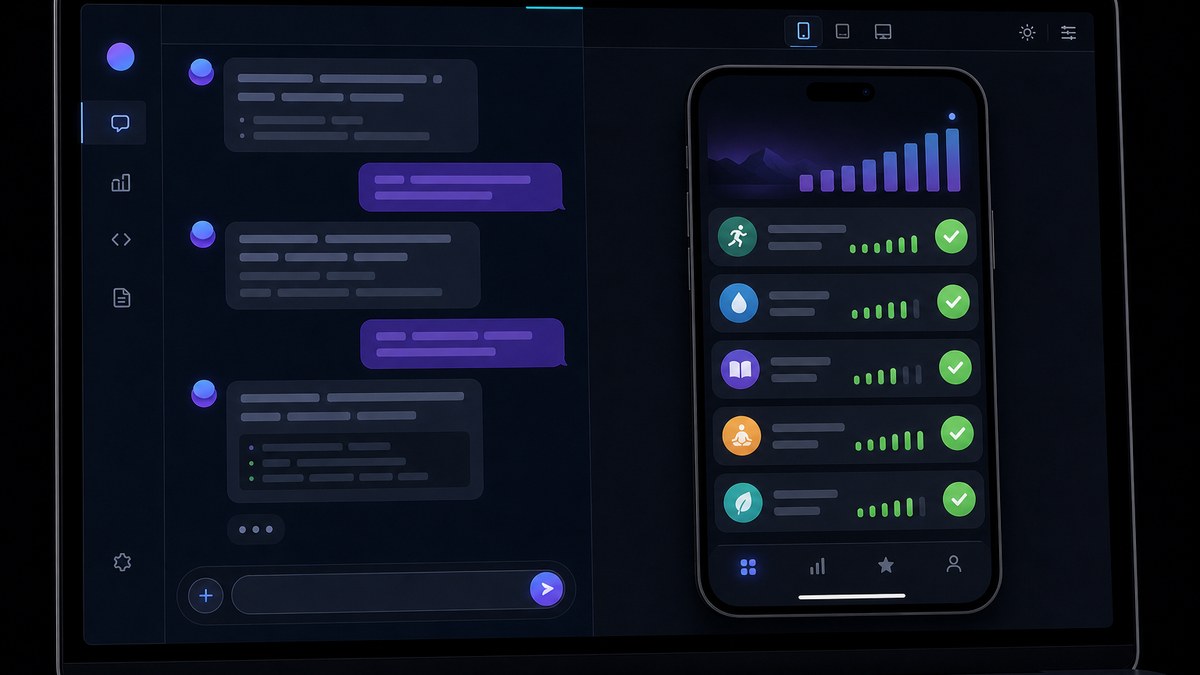
Once the AI generates your app, the real work starts, and it's the fun part. Use the app the way a real person would. Click every button. Type strange things into every box. Resize the window to phone width. Refresh the page and see what survives.
Then fix problems one at a time. This is the habit that separates people who finish projects from people who end up with a broken tangle. Compare these two follow-up prompts:
// Overloaded: the AI changes too much at once
"Fix the streaks, make it prettier, add charts, add dark
mode and let me export my data."

// Focused: easy to test, easy to undo
"When I tick a habit and refresh the page, the streak
goes back to 0. I expected it to stay at 1. Please save
the streak so it survives a refresh, and don't change
anything else."
The focused prompt works because it describes three things: what you did, what happened, and what you expected. That's the same format professional developers use in bug reports, and AI tools respond to it just as well.
When you see an error message
Error messages look scary, but for a vibe coder they're gifts. They tell the AI exactly what went wrong. Copy the whole message, paste it into the chat and say something like: "I got this error when I clicked Save. Explain in plain English what it means, then fix it." Over time you'll start recognizing common errors yourself, which is how you quietly learn real programming along the way.
When the AI goes in circles
Sometimes the AI "fixes" a bug, breaks something else, then breaks the first thing again. If you've tried the same fix three times, stop and change approach:
- Roll back to your last working version (see Step 5) and try a different, smaller prompt.
- Ask for a diagnosis first: "Don't change any code yet. List three possible causes of this bug and how we'd test each one."
- Start fresh. As the beginner guide on WebsiteBuilderExpert points out, regenerating from a better prompt often beats endless small refinements.
Feel the loop in five seconds
Try Prompt → App in our Vibe Arcade: type something like "a pink 5 minute focus timer" and watch a working app appear. Then play nine free games that were all built from plain-English prompts.
Step 5: Save working versions as you go
Every time your app reaches a state you're happy with, save it before asking for the next change. This one habit will save you more frustration than any other tip in this guide.
Most app builders keep a version history you can restore from, and many let you connect a GitHub account so each working version is stored safely. If you're using a chat assistant, copy the working code into a file and name it clearly (for example habit-tracker-v3-streaks-working.html). If you're using an editor or a coding agent, learn the basics of Git; tools like Claude Code can even run the Git commands for you when you ask in plain English, such as "commit my changes with a descriptive message".
Why it matters: AI tools sometimes make sweeping changes you didn't ask for. With saved versions, a bad change costs you thirty seconds. Without them, it can cost you the whole project.
Step 6: Publish and share your app
A project isn't finished until someone else can use it. Most browser-based builders include a publish or deploy button that gives you a public link. Bolt, for example, lists website hosting on its free plan. Others ask you to connect a hosting service; if so, ask the AI to walk you through it step by step.
Before you share the link, run a quick pre-launch check:
- Does it work on a phone? Most people will open your link on mobile.
- Does it survive a refresh? Data that disappears is the most common beginner bug.
- Are there any secrets in the code? Ask the AI: "Check this project for API keys, passwords or other secrets that would be visible to users."
- Is anything sensitive collected? If your app asks for emails, names or anything personal, think twice before sharing it widely.
Developer Simon Willison, who has written extensively about vibe coding, suggests that beginners planning to share a vibe-coded project should "check in with someone more experienced for a vibe check before you share it with the world." That's good advice, especially once real people start using what you've made.
Stay safe: beginner guardrails

Vibe coding is safe and rewarding for learning projects, but it has real risks once money or personal data is involved. Veracode's 2025 GenAI Code Security Report tested more than 100 AI models on 80 coding tasks and found that AI-generated code introduced security flaws in 45% of cases. Those flaws don't show up when you click around; the app looks fine while the hole sits underneath.
Simon Willison's guidelines for low-risk vibe coding make a great starter checklist:
- Keep the stakes low. Build things where a bug wouldn't hurt anyone.
- Protect secrets. Never paste real passwords or API keys into code you don't understand, and be careful with private data.
- Be a good network citizen. Don't build things that hammer other people's services with requests.
- Watch your spending. Be very careful with anything that bills by usage, so a runaway app can't run up a surprise bill.
Willison also draws a useful line between pure vibe coding and responsible AI-assisted programming. His personal rule for code that matters: he won't commit code he couldn't explain exactly to someone else. You don't need to meet that bar on day one, but it's a great goal as your projects grow.
Vibe code freely for prototypes, games, personal tools and learning. Before anything handles logins, payments or personal data, get the code reviewed, ask the AI to audit it for security issues, and add tests. Or hire a vibe coder to build and check it for you.
How to keep improving after your first app
Once you've shipped one small project, you've done the hardest part. Here's how to level up from there:
- Build three more small things. Repetition is how the loop becomes second nature. Each project should be a little more ambitious than the last.
- Ask "explain this" constantly. After each change, ask the AI to explain what it did in plain English. You'll absorb real programming concepts without opening a textbook.
- Read the code you're shipping. Even skimming it teaches you the shape of HTML, CSS and JavaScript, and helps you spot when the AI does something odd.
- Try a second tool. If you started with an app builder, try an AI editor like Cursor. If you started in chat, try a builder. Each teaches you something different.
- Take a free course. Anthropic's documentation points to free self-paced courses on Claude Academy, including "Claude Code 101", for when you're ready to try a coding agent.
- Test yourself. Take our two-minute vibe coding challenge to see which prompting skills you've mastered and which need work.
For a structured route, follow our free learn vibe coding path, which links our guides in a sensible order.
Should you learn traditional coding too?
You don't have to, but a little goes a long way. Knowing the basics helps you write better prompts, catch AI mistakes and fix small things yourself without burning credits. We compare both paths honestly in vibe coding vs traditional coding: which should you learn? And if you're wondering whether these skills can turn into work, see our guide to vibe coding jobs.
Common beginner mistakes to avoid
| Mistake | What happens | Do this instead |
|---|---|---|
| Starting too big | A flashy demo that breaks when you change anything | Build a two-sentence app first, then grow it |
| Many changes per prompt | Hard to tell which change broke what | One fix or feature per prompt, test after each |
| Vague bug reports | The AI guesses and often guesses wrong | Say what you did, what happened, what you expected |
| Never saving versions | One bad change wipes out hours of work | Save or commit every working state |
| Tool hopping | Lots of sign-ups, nothing finished | Finish one project in one tool before switching |
| Real data too early | Security and privacy risks you can't see | Use fake data until the code has been reviewed |
| Ignoring usage limits | Running out of credits mid-project or a surprise bill | Check your plan's limits before a long session |
A sample first evening plan
If you want a concrete plan, here's how a first two-hour session might look:
- First 15 minutes: Pick your idea and write your first prompt in a notes app. Cut features until it fits in two sentences plus a short list.
- Next 15 minutes: Sign up for one builder, paste the prompt, and look at the first version.
- Next hour: Test, then fix one thing at a time. Save every time something works.
- Next 20 minutes: Run the pre-launch check: phone layout, refresh test, secrets check.
- Last 10 minutes: Publish, send the link to a friend, and write down three ideas for version two.
Rather have it built for you? If your idea involves customers, payments or business data, you may prefer to hire a vibe coder who builds with AI and tests everything before launch.
Frequently asked questions
How do I start vibe coding with no experience?
Pick one tiny project, open a browser-based app builder such as Lovable, Bolt or Replit, and describe what you want in plain English: who it's for, what it does and how it looks. Then test the result and fix one problem per prompt until it works.
Do I need to know how to code to start vibe coding?
No. Many beginners build working apps without writing code themselves. Learning some basics over time helps you write better prompts, spot mistakes and keep projects secure, but it isn't required to get started.
What is the best vibe coding tool for beginners?
If you've never coded, an app builder like Lovable, Bolt.new or Replit is usually easiest because it runs in the browser and shows a live preview. If you want to learn as you build, a chat assistant like Claude that explains its code is a great alternative.
Can I start vibe coding for free?
Often, yes. Several tools let you start without paying; for example, Bolt lists a free plan with hosting and Lovable lets you start for free. Free limits change often, so check each tool's current pricing page before starting a big project.
What should my first vibe coding project be?
Something small you'll actually use, with no login and no sensitive data: a tip calculator, a habit tracker, a quiz, a one-page site or a simple browser game. If you can't describe it in two sentences, make it smaller.
How long does it take to learn vibe coding?
You can build a simple working app in your first evening. Getting reliably good, with clear prompts, good debugging habits and an eye for problems, comes from building several projects over a few weeks.
What do I do when the AI keeps breaking my app?
Roll back to your last working version, then try a smaller, more specific prompt. You can also ask the AI to list possible causes before changing any code, or start fresh from a better first prompt.
Is vibe coding safe for beginners?
Yes, for learning projects, games and personal tools. Avoid handling real passwords, payments or personal data until the code has been reviewed, because research from Veracode found security flaws in 45% of AI-generated code samples it tested.
Should I learn Git when I start vibe coding?
It helps a lot once you move beyond browser builders. Git saves every working version so you can undo bad changes. Coding agents like Claude Code can run Git commands for you when you ask in plain English.
Who came up with vibe coding?
AI researcher Andrej Karpathy coined the term in a post on X on February 2, 2025. Collins Dictionary later named "vibe coding" its Word of the Year for 2025, and Merriam-Webster added it to its dictionary in 2026.
Keep reading
Sources
- Merriam-Webster, "vibe coding" (definition and origin): merriam-webster.com
- CNN via KRDO, "Vibe coding named Collins Dictionary's Word of the Year", Nov 6, 2025: krdo.com
- Simon Willison, "Not all AI-assisted programming is vibe coding (but vibe coding rocks)", March 19, 2025: simonwillison.net
- Veracode, 2025 GenAI Code Security Report press release, July 30, 2025: veracode.com
- Bolt, pricing and free plan details (checked October 2026): bolt.new
- Lovable, pricing (checked October 2026): lovable.dev
- Anthropic, Claude Code quickstart documentation (checked October 2026): code.claude.com
- Emma Ryan, "How To Start Vibe Coding: A Beginner-Friendly Guide", WebsiteBuilderExpert, Dec 15, 2025: websitebuilderexpert.com
VibeCodingMeaning.com is an independent educational site and isn't affiliated with any tool mentioned. Tool features and free plans change often; check each tool's site for current details. Some links may be affiliate links.